Virtual Flute Online
Playable bamboo flute
Click, tap, or press a key to play a flute-like note. These are browser controls, not exact bansuri fingering positions.
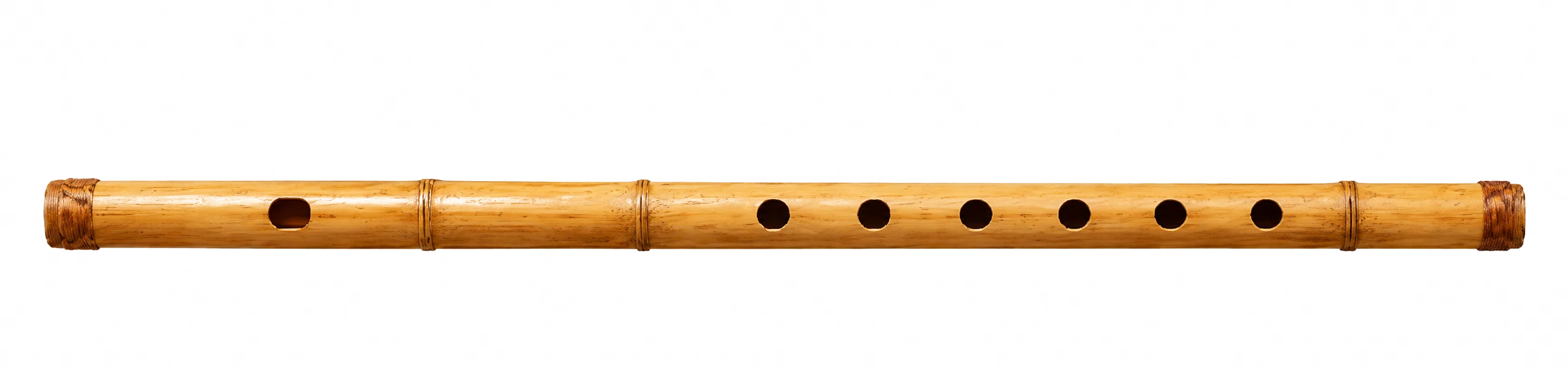
Active note:Ready to play
Keyboard row: A=C S=D D=E F=F G=G H=A J=B K=C5
Play Online Flute in Your Browser
Use this virtual flute online tool to hear flute notes without installing an app. Click or tap a note to play it, or use the keyboard shortcuts shown above the instrument. The first goal is simple: make it clear which note is active, how to repeat it, and how to move from one note to the next. If you already practice on Web Harmonium, compare the same note movement with the flute tone.
Start with the natural notes first. Play C, D, E, F, G, A, B, and the next C slowly. Then try short patterns such as C-D-E, G-A-B, or C-E-G. If sharps and flats are enabled, use them after the basic notes feel familiar. If keyboard shortcuts are the part you want to master, the laptop harmonium guide gives a stricter key-map practice path.
Flute Notes Chart for Beginners
A flute notes chart helps beginners see note names before they try to play songs. This chart is written for browser practice, so it connects each sound to a simple label and a small exercise. If you are translating these labels into Sargam, keep the harmonium notes guide nearby.
| Note | Beginner label | Keyboard | Practice idea |
|---|---|---|---|
| C | Do / Sa reference | A | Start and return note |
| D | Step up from C | S | Play C-D-C |
| E | Third note | D | Play C-D-E-D-C |
| F | Fourth note | F | Practice slow transitions |
| G | Strong practice note | G | Play C-E-G |
| A | Higher step | H | Play G-A-G |
| B | Leading note | J | Play A-B-C |
| C5 | Next octave C | K | Compare C and C5 |
If you use Sargam, treat Sa as a movable practice reference. This online flute page does not claim one universal Indian flute tuning.
Simple Flute Fingering Chart
A flute fingering chart shows which keys or holes are used to produce a note. On a real concert flute, fingerings depend on the instrument, octave, and player technique. This guide is intentionally simple: it links a note name, a browser control, and a starter idea for finger placement.
| Note | Starter fingering idea | Browser control |
|---|---|---|
| C | Most starter holes closed in a low reference position | A key or C button |
| D | Lift one lower finger from the C reference | S key or D button |
| E | Use a slightly more open lower-hand shape | D key or E button |
| F | Keep the transition slow and controlled | F key or F button |
| G | Common middle note for early patterns | G key or G button |
| A | Open more holes or keys depending on instrument type | H key or A button |
| B | Use as a leading note before the next C | J key or B button |
| C5 | Higher notes also need embouchure and air support | K key or C5 button |
High-note fingerings can require different embouchure and air speed. Pressing a browser key can show the pitch, but it cannot teach the full physical technique.
Learn the Parts of the Flute
The browser controls are simplified. A real transverse flute also depends on breath angle, embouchure, hand position, and instrument-specific keywork.
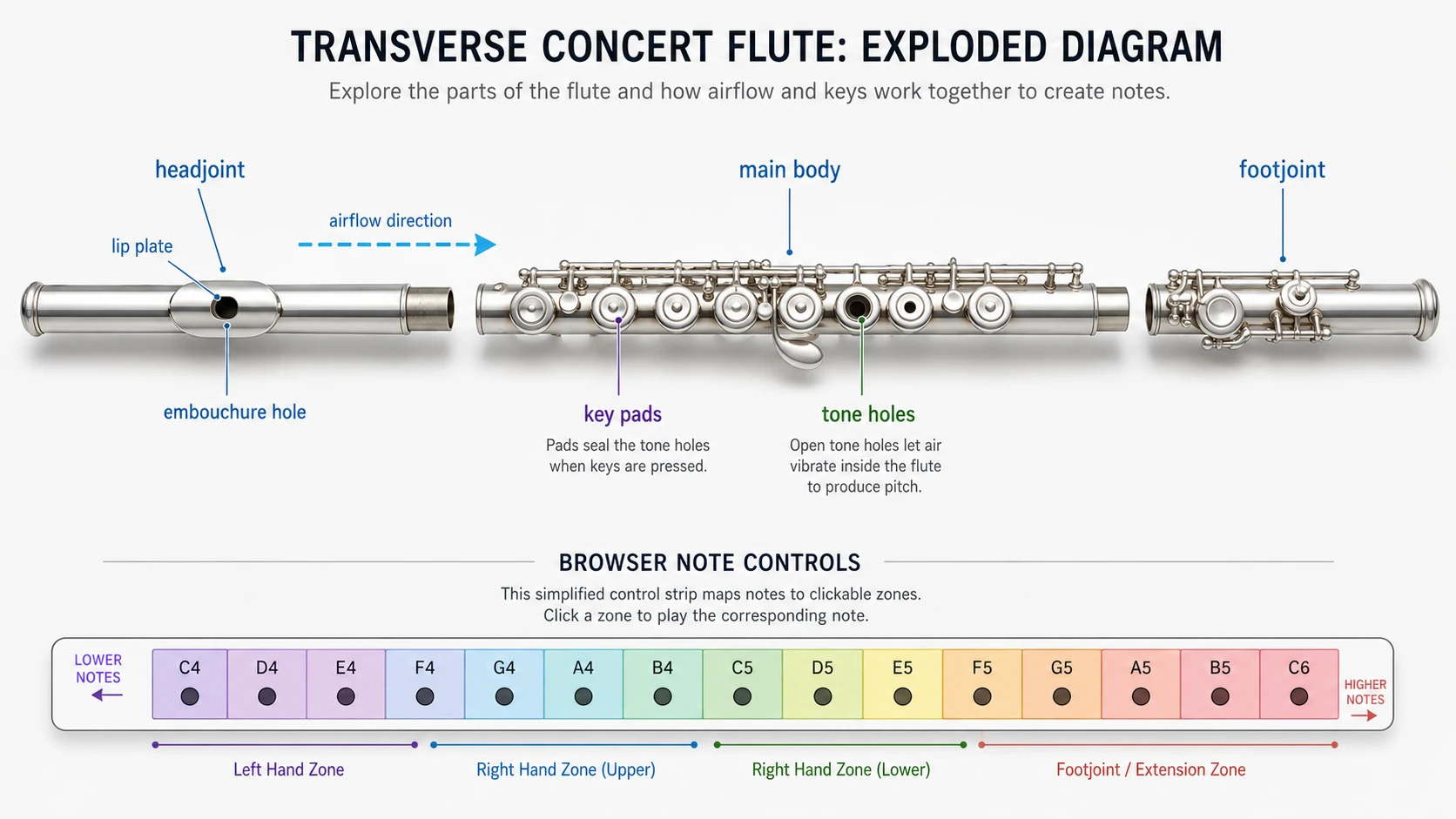
Headjoint
The left section where the player directs air.
Embouchure hole
The opening that turns breath into vibration on a real flute.
Body keys
The main note area, simplified here into playable browser buttons.
Footjoint
The right end of many concert flutes, used for lower keywork.
Practice Ideas for Web Harmonium Users
If you use Web Harmonium for simple Sargam practice, try the same short patterns on the online flute. Start with Sa Re Ga Ma as a note sequence, then listen to how the tone feels different from a harmonium reed sound. Keep a slow pulse with the online metronome before increasing speed.
Keep the exercise simple: one note at a time, slow tempo, and a clean release between notes. This page is not a full Indian flute or bansuri simulator, but it can help you compare note movement and tone color in the browser. If a pattern becomes a longer phrase, sketch it in the melody maker; if the shape is really C-E-G style chord movement, compare it with the arpeggio maker.
What This Online Flute Can and Cannot Do
This virtual flute online tool is built for quick browser practice. It can help you hear note names, test short melodies, and connect a flute notes chart with a playable sound.
It cannot replace breath control, embouchure training, tone shaping, or a teacher correcting finger position on a real instrument. The first version uses a lightweight Web Audio synthesis tone, so the sound is flute-like rather than a verified studio flute recording.
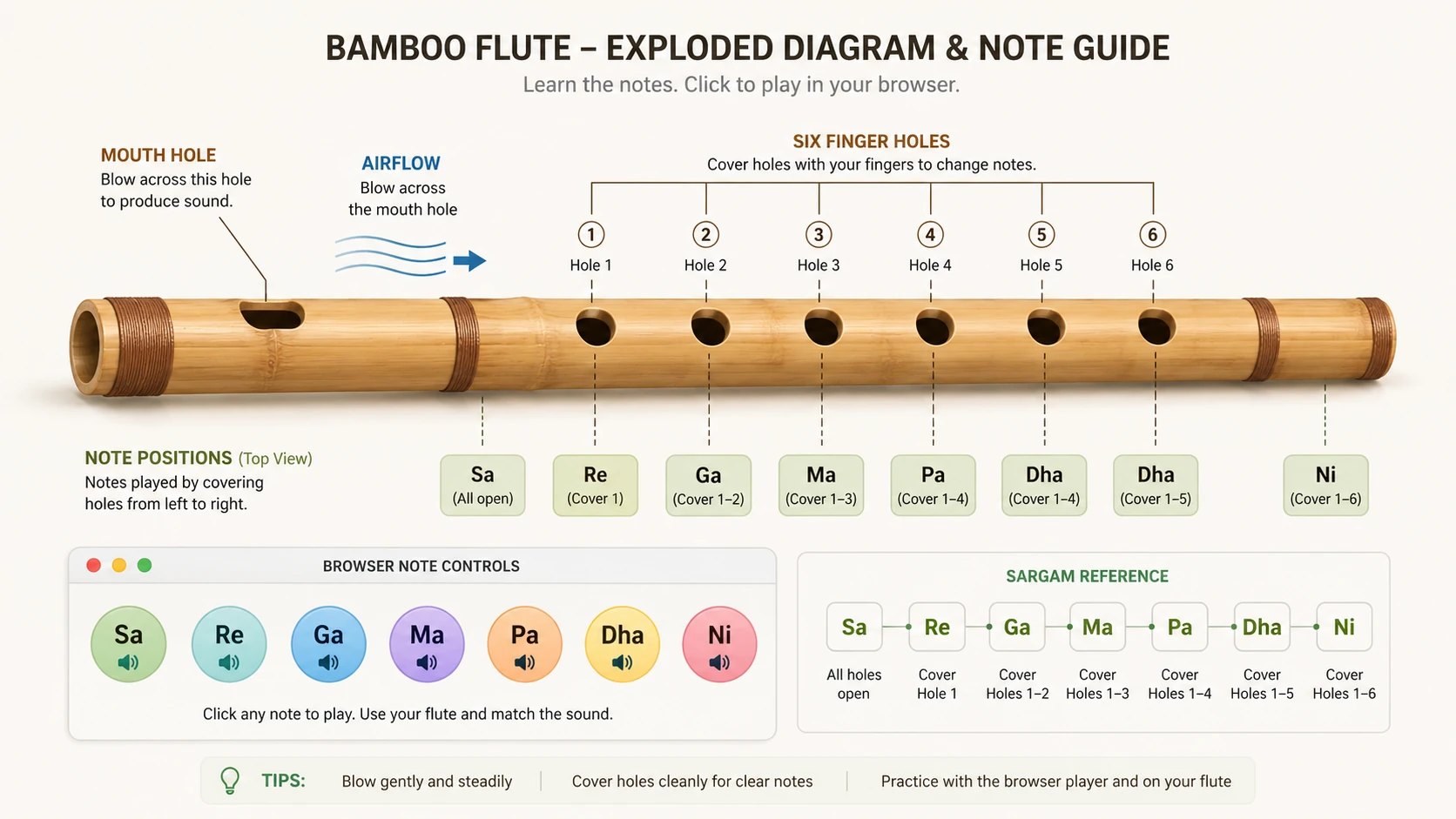
Bamboo Flute and Sargam Note Guide
For bamboo flute or Indian flute practice, note positions are often explained through finger holes and Sargam labels. Use this guide as light context while keeping the playable browser tool focused on simple note practice.
Virtual Flute Online FAQ
Is this a virtual flute online?
Yes. This page is a virtual flute online tool that lets you play flute notes in the browser with click, touch, and keyboard controls.
Can I play flute online without installing an app?
Yes. The page runs in the browser without a download. Audio may require the first click or tap before sound starts, because browsers often block audio until user interaction.
Does the page include flute notes for beginners?
Yes. The page includes a flute notes chart for beginners so users can see note names and practice simple note patterns.
Will this include a flute fingering chart?
Yes. It includes a simple flute fingering guide, but it does not claim to cover every alternate fingering or every high-note technique.
Is this the same as a bansuri?
No. The page targets online flute and virtual flute intent. It includes light bamboo flute and Sargam context, but it is not a full bansuri simulator.
Can I use my microphone to blow into the flute?
Not in the first version. Microphone breath detection adds permission, privacy, and reliability problems, so this version focuses on clear browser controls and playable notes.
Continue Practice
Published 2026-06-19. Page scope: one playable virtual flute online tool with supporting beginner notes and fingering guidance.